- Home
- Pilgrim Colony
- Our Beach House
- Under-Construction
- My First Year
- One Year Old!!!
- More One Year
- Summer 2001
- More summer 2001
- October/Halloween
- Disney 2002
- Winter 2002
- Construction Update
If the pictures we post on the web do not seem
clear on your pc, Check your display settings on your pc.
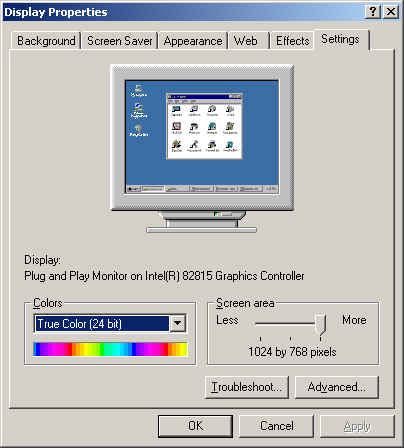
Right click on your desktop, select properties.
Select the settings tab.
If your settings are set at 256 Colors change it to High Color(16 bit) or
True Color(24 bit).
You will find that all pictures will look better.